No Products in the Cart




 Australian Warranty
 Fast Delivery Australia Wide
 Best Price Guarantee
By connecting the TAMRON-LINK to a TAMRON lens, users gain the ability to wirelessly operate various lens functions from a smartphone via Bluetooth. This accessory eliminates the need for cable connections, improving on-location workflow efficiency and enabling a more flexible and seamless shooting experience. It supports both iOS and Android devices, allowing users to enjoy TAMRON Lens UtilityTM comfortably.
With Tamron Lens Utility and Tamron-Link, you can tailor compatible Tamron lenses precisely to your workflow, from focus functions and video settings to time-lapse and astro features. Designed for photo and video creators who want to unlock the full potential of their lens.
Want to control the autofocus remotely or use the focus ring as an aperture ring? With the new TAMRON Lens Utility Mobile smartphone app, you can do just that.


Customise focus, aperture and ring behavior, or save focus positions for repeatable actions. This allows you to create smooth and precise focus and aperture transitions – without complicated setups. Ideal for video workflows, creative shots and maximum control over your lens. 

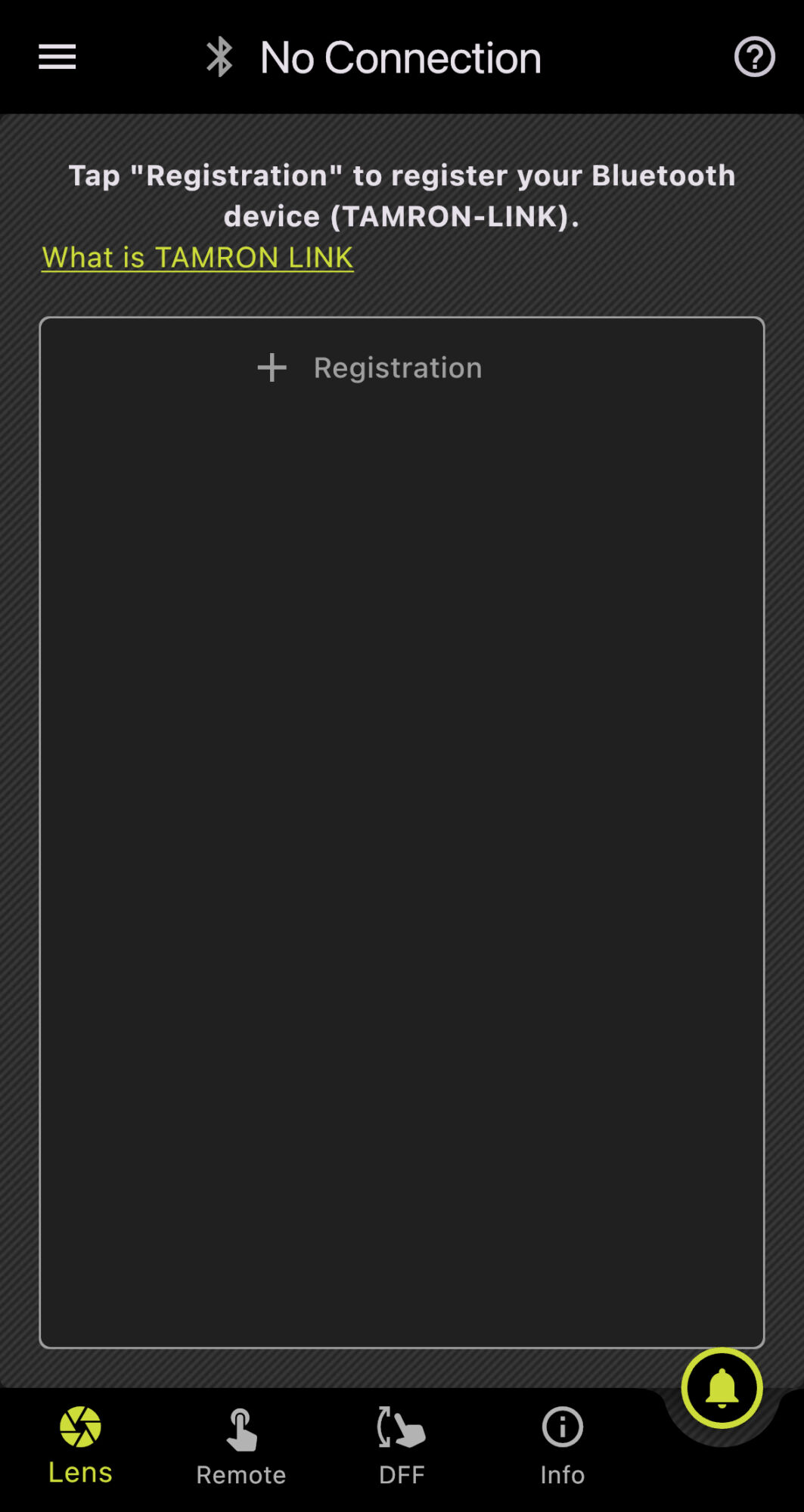
Tap “+ Registration.”
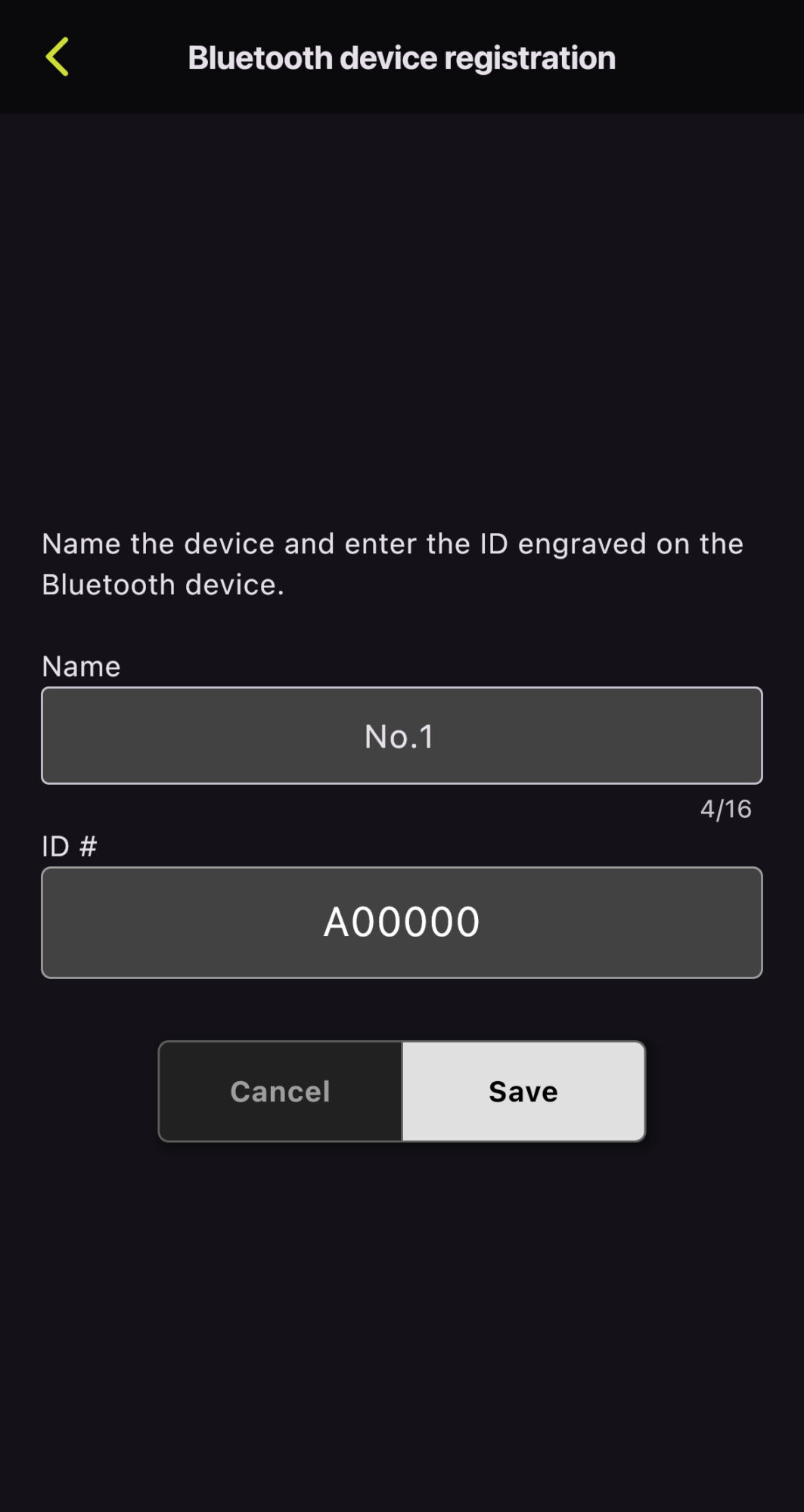
Assign the device name and the ID engraved on the TAMRON-LINK.
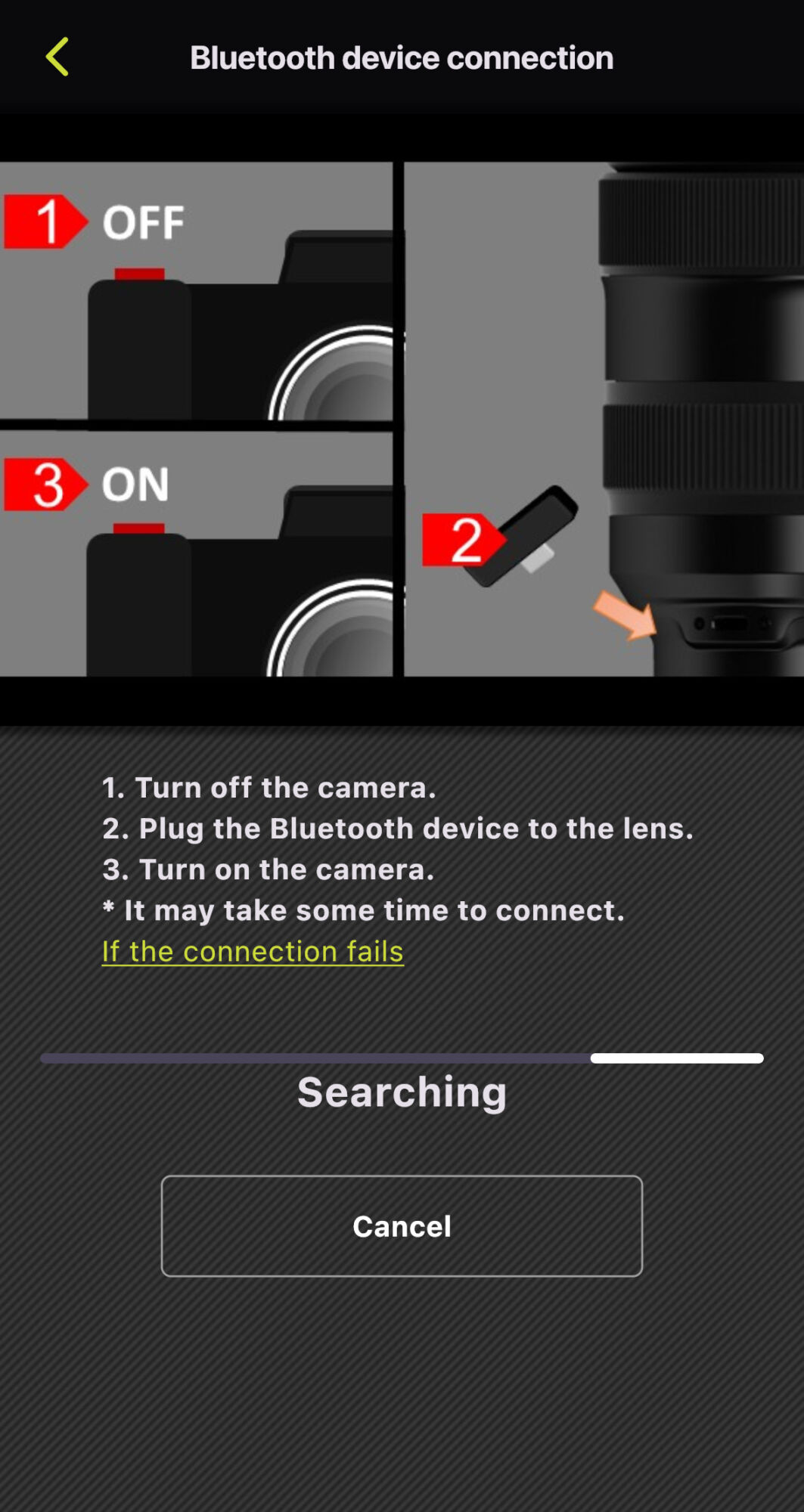
Follow these steps to connect the TAMRON-LINK:
1. Turn off the camera.
2. Plug the TAMRON-LINK into the lens.
3. Turn on the camera.
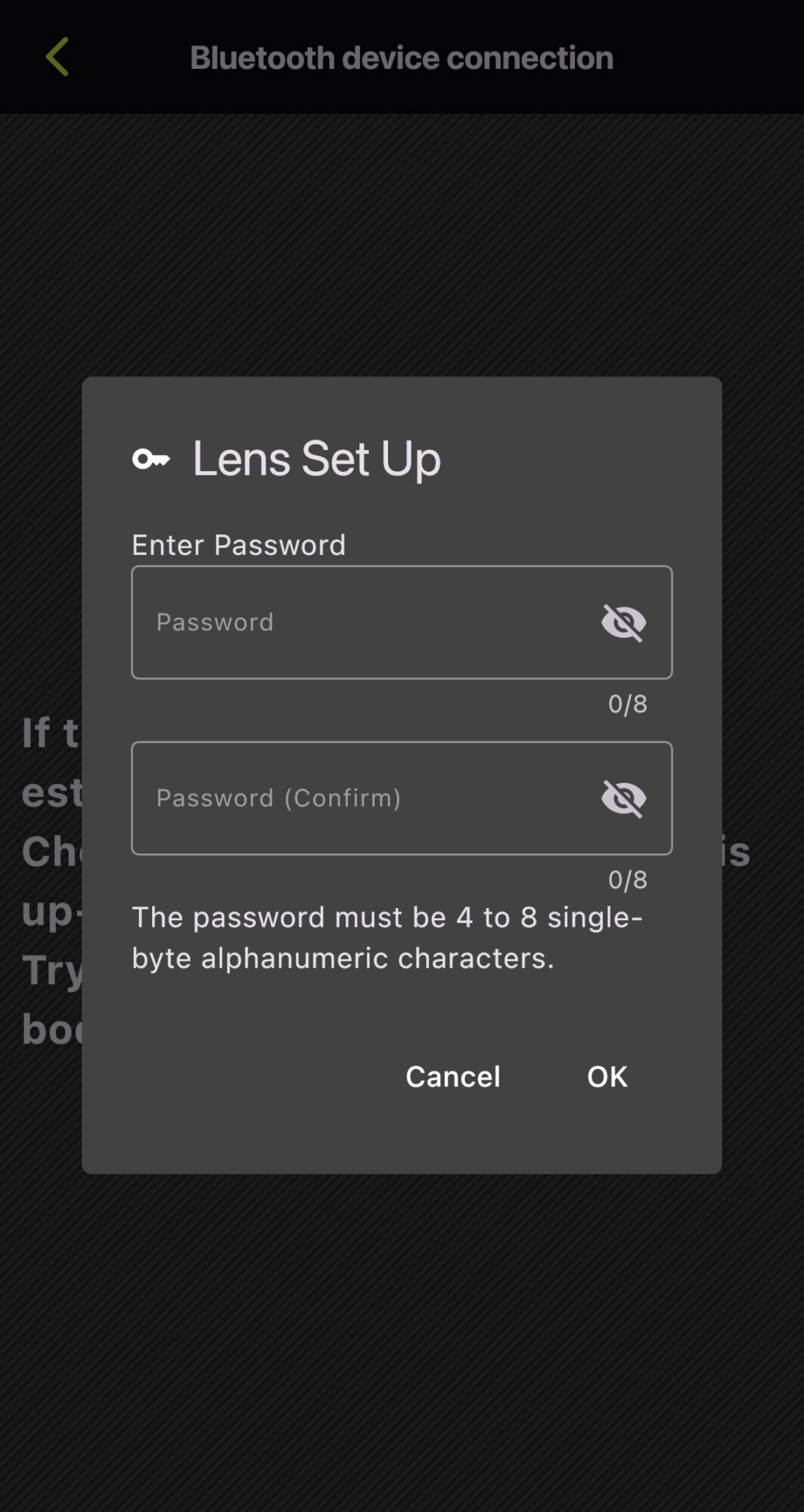
Set a password and tap “OK” (required only for initial lens registration).
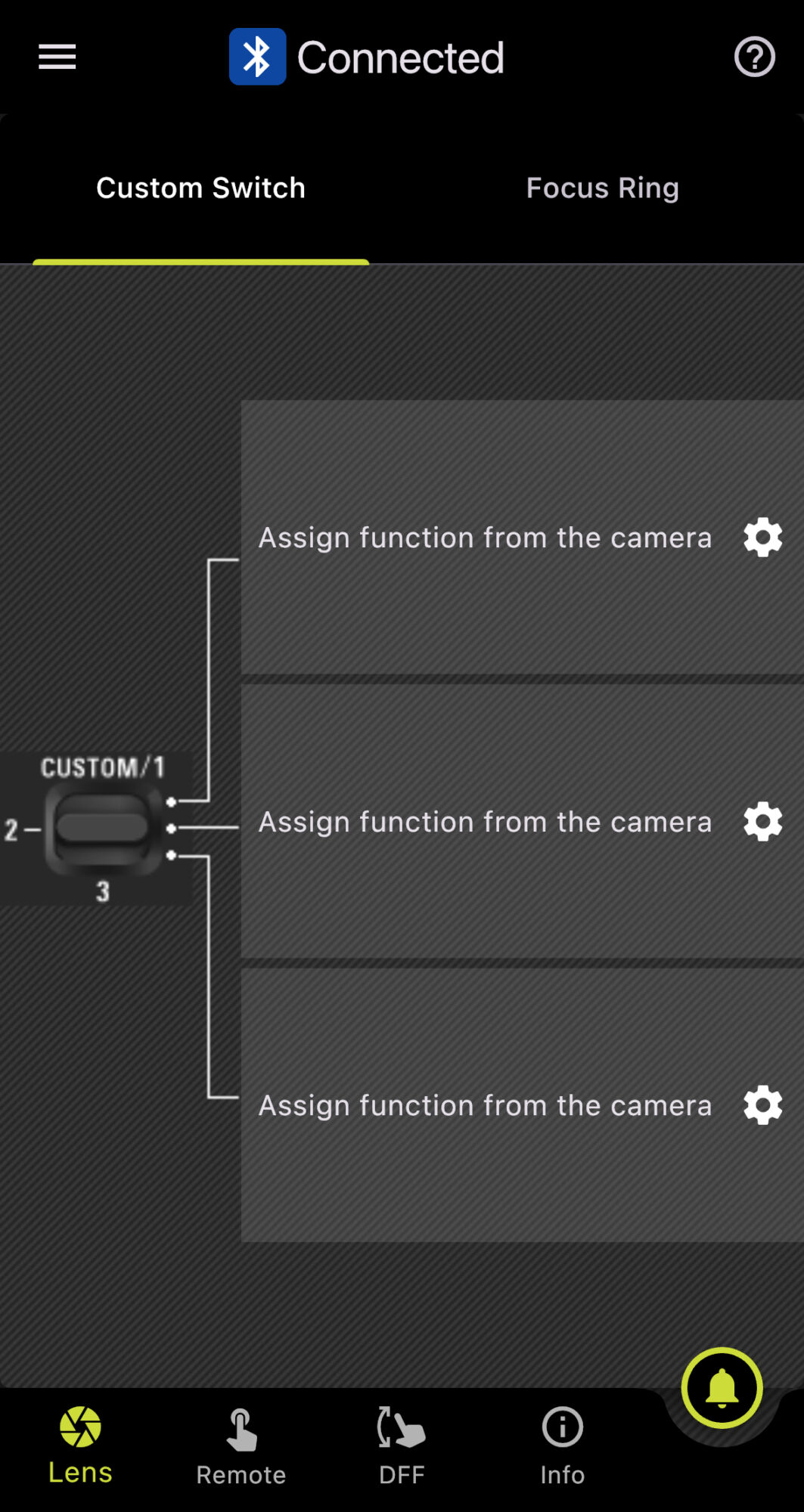
Successfully connected.
Tap “Forgot your password?”
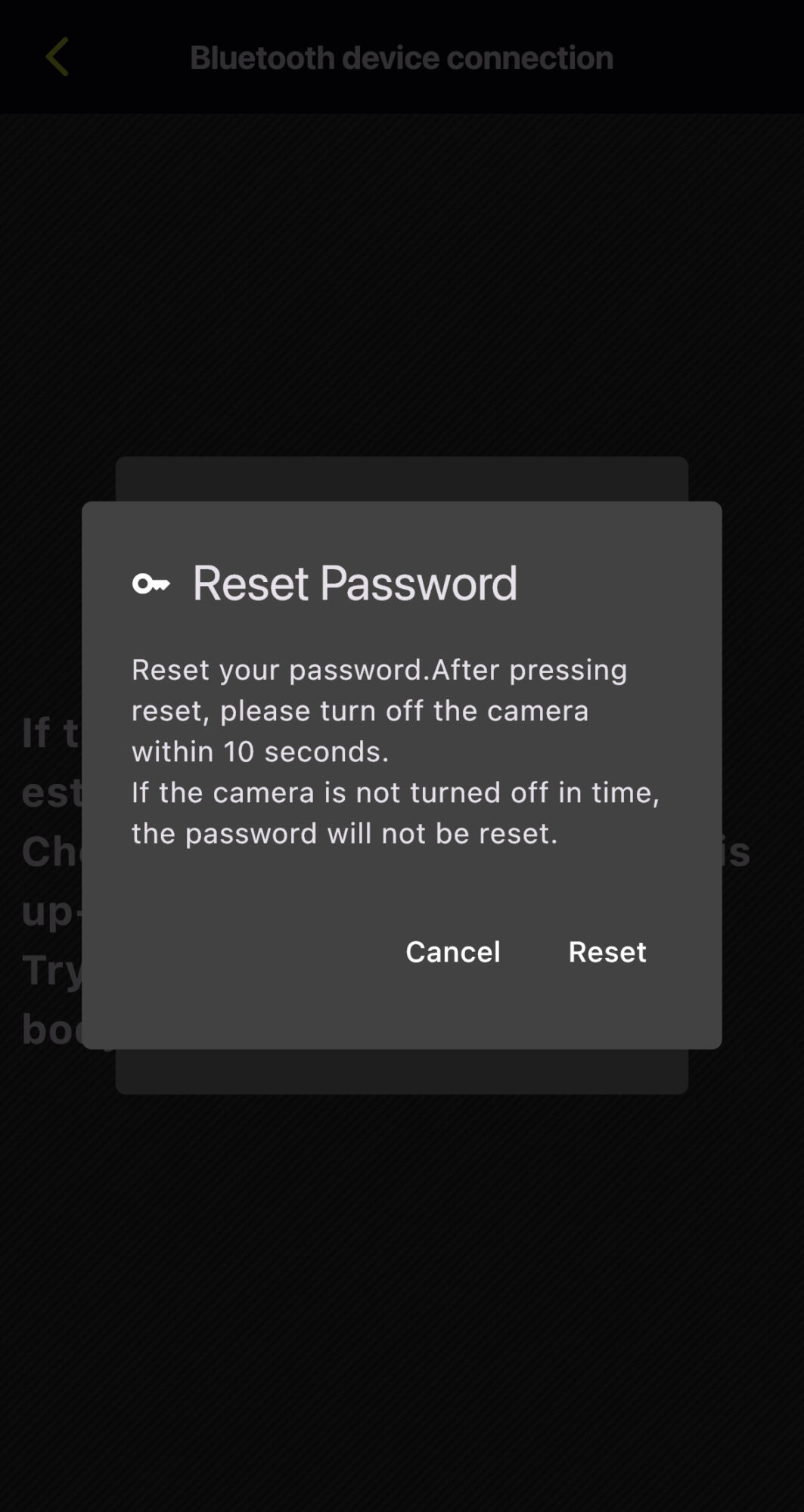
Tap “Reset.”
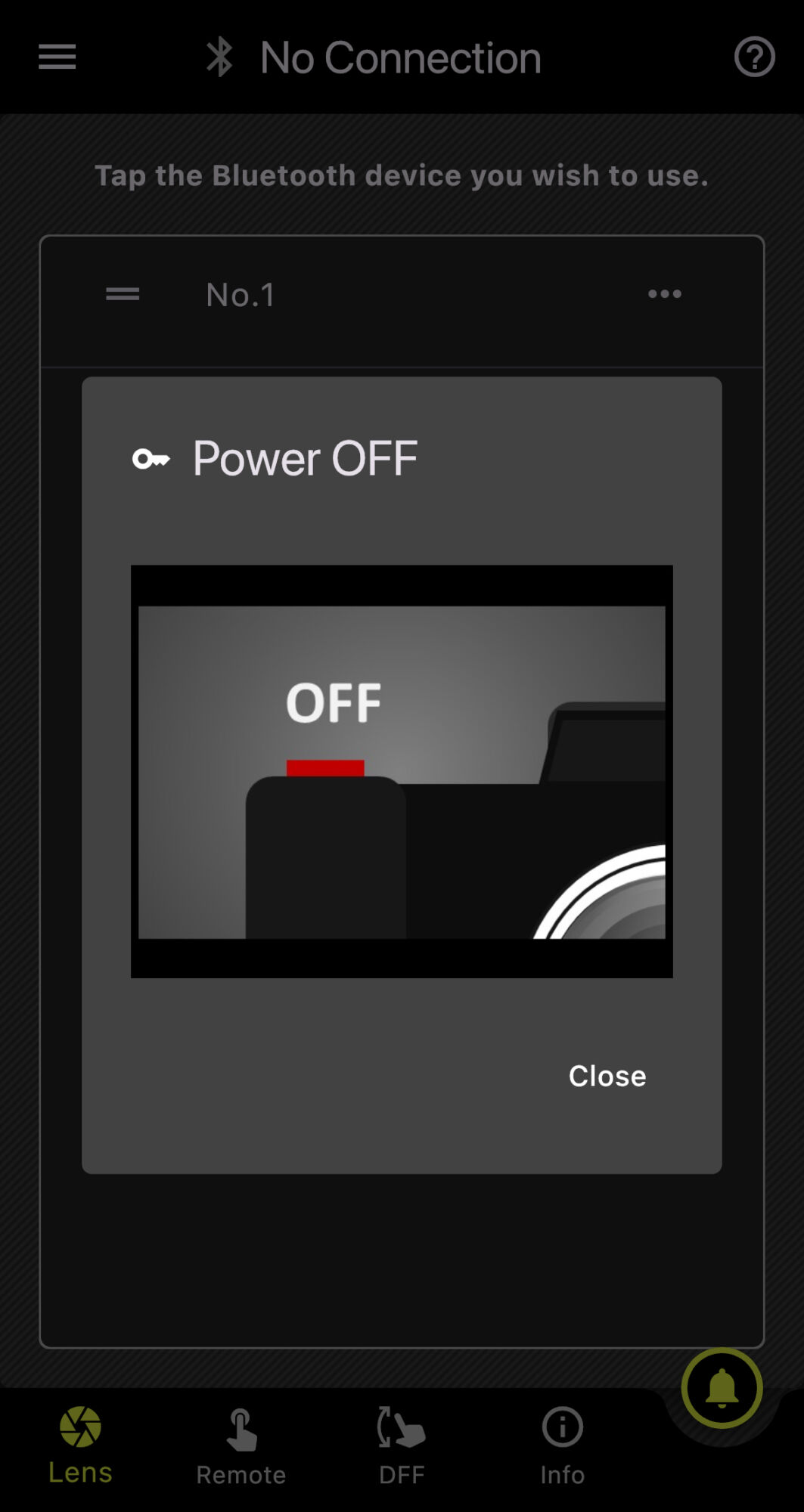
Turn off the camera and tap “Close” within 10 seconds.
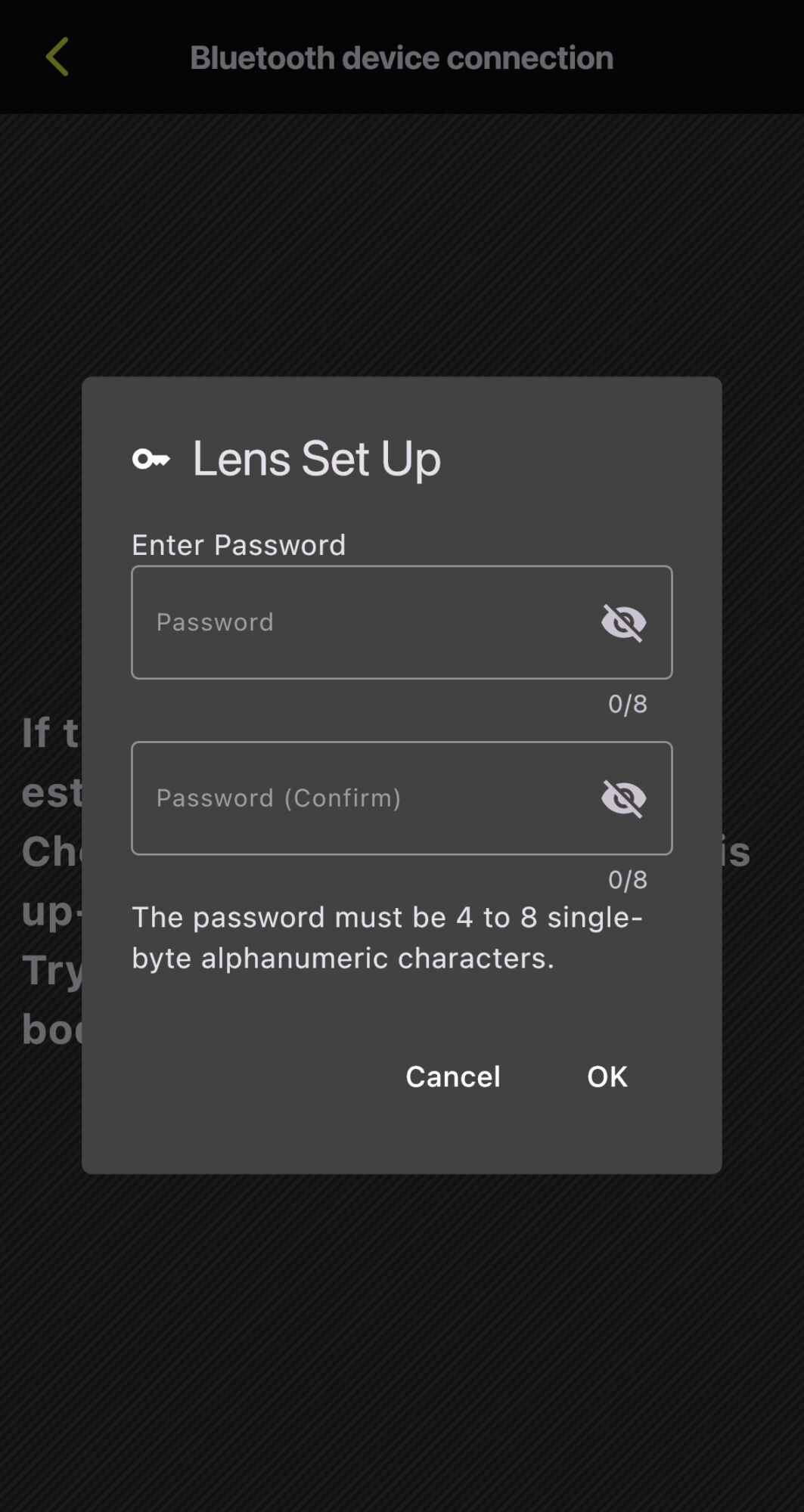
Set a password and tap “OK”.
*The screen captures are based on iOS. Display and operation may vary on Android OS.
To ensure stable and optimal performance of this product, please observe the following points.
Trademarks
Product and service names mentioned herein are trademarks or registered trademarks of their respective companies.
iOS is a name of Apple Inc. IOS is a trademark or registered trademark of Cisco
Android is a trademark or registered trademark of Google LLC.
The Bluetooth word mark and logos are registered trademarks owned by Bluetooth SIG, Inc., and any use of such marks by TAMRON is under license.